

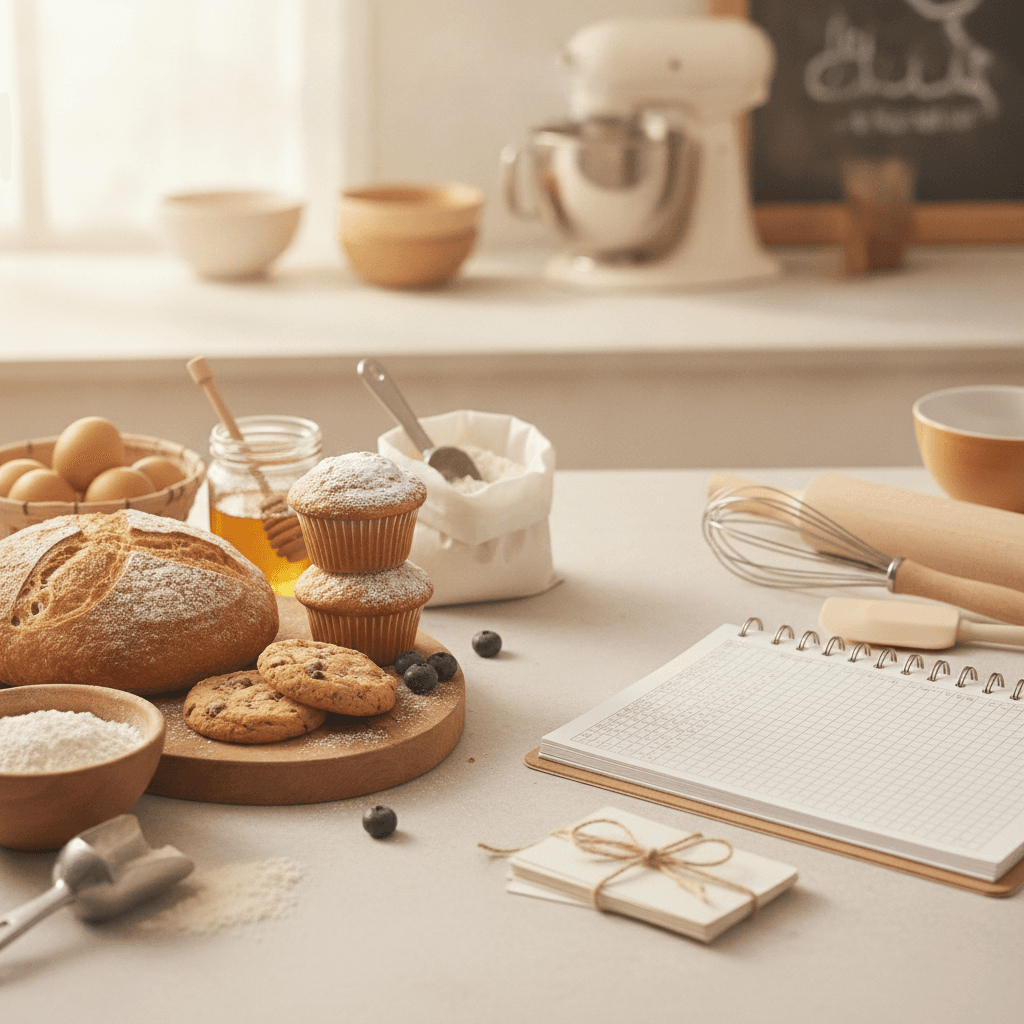
A home bakery order form template is a structured document — digital or printed — that captures every detail you need before you bake: customer name, item, quantity, flavor, pickup date, allergen notes, and payment status. Without one, you rely on text threads and DMs, and orders slip through the cracks. Below is a copy-paste table layout you can drop into Google Sheets, Canva, or print as a PDF, plus the exact fields that prevent the most common order mistakes.
Key takeaways
- A complete order form needs 14 fields minimum — skip the allergen or deposit field and you risk refunds or liability.
- One of the most common order mistakes is a wrong pickup date or time, which a mandatory date/time field eliminates.
- Collecting a 50% non-refundable deposit at order time sharply reduces no-shows.
- Free tools like Google Forms or a simple Google Sheet handle order forms fine until you pass about 15 orders per week — then dedicated platforms like CakeBoss or BakeDiary save hours.
- Your order form doubles as a legal record under most cottage food laws, so include your business name, total price, and allergen disclaimer on every form.
Why you need a dedicated order form (not just text messages)
Picture two cake orders that come in through Instagram DMs. One customer wants vanilla with strawberry filling; the other wants strawberry with vanilla buttercream. The messages look almost identical on your phone at 6 AM on bake day, and a mix-up means remaking at least one cake.
A structured order form forces every customer to fill in the same fields in the same order. That means you can sort by pickup date, scan for allergens before you shop, and confirm deposits without scrolling through 47 text messages. It also protects you legally — most cottage food laws require you to keep records of sales, and a completed order form is your receipt.
The 14 fields every home bakery order form needs
Not all fields matter equally. The table below separates must-have fields from optional-but-useful ones. Copy this into a spreadsheet or form builder and you have a working order form in under 10 minutes.
| Field | Required? | Why it matters | Example entry |
|---|---|---|---|
| Customer full name | Yes | Identifies the order on pickup day | Sarah Mitchell |
| Phone number | Yes | Fastest way to confirm changes | (615) 555-0142 |
| Optional | Useful for sending invoices or receipts | sarah@email.com | |
| Item ordered | Yes | Prevents flavor/size confusion | 6-inch round chocolate cake |
| Quantity | Yes | Drives your ingredient shopping list | 1 |
| Flavor / variation | Yes | Catches the vanilla-vs-strawberry problem | Dark chocolate ganache filling |
| Size / servings | Yes | Determines pricing tier | 6-inch (serves 8-10) |
| Decoration / inscription | Conditional | Required for custom cakes; skip for cookies | "Happy Birthday, Leo" in blue |
| Allergen disclosure | Yes | Legal protection and customer safety | Contains wheat, eggs, dairy |
| Customer allergy notes | Yes | Flags conflicts before you bake | Tree nut allergy — no almonds |
| Pickup date and time | Yes | The #1 source of order errors | Sat Nov 14, 10:00-11:00 AM |
| Total price | Yes | Cottage food record-keeping requirement | $65.00 |
| Deposit amount and status | Yes | Reduces no-shows dramatically | $32.50 paid via Venmo 11/7 |
| Order status | Yes | Tracks workflow from confirmed to picked up | Confirmed / Baked / Picked up |
If you sell items with specialty ingredients — say, you use almond flour in your gluten-free line — the allergen disclosure field is especially critical. Tree nut allergies are among the most common, and your form is the first line of defense.
Copy-paste order form layout for Google Sheets
Here is a plain-text layout you can paste directly into row 1 of a Google Sheet. Each column header matches the 14 fields above. After pasting, freeze row 1, set data validation on the "Order status" column (Confirmed / Baked / Ready / Picked up), and format the "Pickup date" column as a date.
| A | B | C | D | E | F | G | H | I | J | K | L | M | N |
|---|---|---|---|---|---|---|---|---|---|---|---|---|---|
| Customer Name | Phone | Item | Qty | Flavor/Variation | Size/Servings | Decoration Notes | Allergens in Product | Customer Allergy Notes | Pickup Date & Time | Total Price | Deposit Paid? | Order Status | |
| Sarah Mitchell | (615) 555-0142 | sarah@email.com | Chocolate cake | 1 | Ganache filling | 6-inch / 8-10 servings | "Happy Birthday Leo" blue | Wheat, eggs, dairy | None | Sat 11/14 10-11 AM | $65.00 | $32.50 Venmo 11/7 | Confirmed |
Tip: duplicate this sheet and rename each tab by month ("November 2026", "December 2026") so you have a clean archive for tax time. Monthly tabs instead of one massive list can save hours of sorting at tax time.
How to turn this into a Google Form customers fill out themselves
A spreadsheet works when you take orders by phone and enter them yourself. But if you get more than about 8-10 orders a week, having customers fill out a Google Form saves you 15-20 minutes per day of data entry. Here is how to set it up in under 20 minutes:
- Create a new Google Form. Title it with your bakery name followed by "Order Form."
- Add each of the 14 fields from the table above. Use "Short answer" for name, phone, email. Use "Dropdown" for item (list your menu items), size, and order status. Use "Paragraph" for decoration notes and allergy notes.
- Mark required fields. Toggle the "Required" switch on everything except email and decoration notes.
- Add an allergen disclaimer as a section header: "Our kitchen uses wheat, eggs, dairy, tree nuts, and soy. We cannot guarantee a completely allergen-free environment."
- Link the form to a Google Sheet. Click "Responses" then the green Sheets icon. Every submission auto-populates your tracking spreadsheet.
- Add a confirmation message that tells the customer: "Your order is not confirmed until you receive a text or email from us and your deposit is paid."
This setup costs $0. You do not need a website, a paid form tool, or any coding. Share the form link in your Instagram bio, on your Facebook page, or in a text message.
When to upgrade from free tools to paid order management
Free Google Forms and Sheets work well up to about 15 orders per week. Past that point, you start losing time on manual deposit tracking, calendar conflicts, and copy-pasting confirmation texts. Here is a rough comparison of popular options:
| Tool | Cost | Best for | Limitation |
|---|---|---|---|
| Google Forms + Sheets | $0 | Under 15 orders/week | No payment integration, manual confirmations |
| CakeBoss | About $20/month | Cake-heavy bakeries, custom orders | Learning curve; overkill for cookie-only businesses |
| BakeDiary | About $15/month | General home bakeries, scheduling | Fewer customization options than CakeBoss |
| Square Online (free tier) | $0 + 2.9% per transaction | Bakers who want online ordering with payment | Transaction fees add up; limited form customization |
| Jotform or Typeform | $0-$34/month | Bakers who want branded, pretty forms | Free tiers limit submissions; no baking-specific features |
The breakeven point where a paid tool saves you money (in time) is roughly when you spend more than 45 minutes per day on order admin. At $20/hour for your time, that is $15/day or $450/month in lost productivity — far more than any of these tools cost.
Adding a deposit policy to your order form
A 50% non-refundable deposit is the industry standard for custom cake orders. For smaller items like cookies or cupcakes sold by the dozen, many home bakers require full payment at order time because the per-order value is lower (often $24-$48 per dozen) and the loss from a no-show hurts more proportionally.
Include this language directly on your order form or in the confirmation message:
"A non-refundable deposit of 50% is required to confirm your order. The remaining balance is due at pickup. Orders not picked up within 24 hours of the scheduled time are forfeited, and no refund will be issued."
If a 50% deposit policy prevents four no-shows a month, at $45-$60 of wasted ingredients and time per no-show, that is roughly $180-$240 a month recovered.
Allergen and legal disclaimers to include
Most states with cottage food laws require you to label products with your name, address, a "Made in a home kitchen" disclaimer, and common allergens. Your order form should echo these requirements so the customer sees them before they order, not after.
A solid allergen disclaimer for your form:
"Products are prepared in a home kitchen that is not inspected by the state health department. This kitchen uses wheat, eggs, dairy, soy, and tree nuts. While we take precautions, we cannot guarantee products are free from any allergen. By placing this order, you acknowledge these conditions."
If you are unsure about your state's specific cottage food labeling rules, check your state's cottage food law — requirements vary widely. Some states cap annual sales around $25,000-$50,000; others allow $150,000 or more, and a few (Ohio, Missouri) have no cap at all.
Recipe cost sheet: know your numbers before you price
Your order form captures what the customer pays. But you need to know what each item costs you to make, or you will underprice and lose money. Here is a recipe cost sheet template you can copy into a separate spreadsheet tab. The prices shown are typical U.S. grocery figures for a 36-cookie batch — replace them with what you actually pay.
| Ingredient | Package size | Package cost | Amount used | Cost per recipe |
|---|---|---|---|---|
| All-purpose flour | 5 lb (2,268g) | $4.49 (typical) | 2.5 cups (312g) | $0.62 |
| Brown sugar | 2 lb (907g) | $3.49 (typical) | 1 cup (213g) | $0.82 |
| Butter (unsalted) | 1 lb (4 sticks) | $4.99 (typical) | 1 cup (2 sticks) | $2.50 |
| Eggs | 1 dozen | $3.89 (typical) | 3 large | $0.97 |
| Vanilla extract | 4 oz (118ml) | $8.99 (typical) | 1 tsp (5ml) | $0.38 |
| Total ingredient cost | $5.29 | |||
| Packaging (box, ribbon, label) | 3 boxes | $3.00 | ||
| Labor (est. hours x your rate) | 1.5 hours x $20 | $30.00 | ||
| Total cost per batch | $38.29 | |||
| Yield (units per batch) | 36 cookies | |||
| Cost per unit | $1.06 |
Cost per recipe is package cost divided by package size, multiplied by the amount used. Weigh ingredients on a scale rather than trusting cup measures. For labor, time yourself through one full batch from setup to cleanup and multiply by your hourly rate — $20/hour is a common starting point for home bakers, but adjust to your market.
A common pricing formula is: (total cost per unit) x 3 = retail price. That 3x multiplier covers your overhead, time, and profit. If your all-in cost per cookie is $1.06, as in the example above, price it at $3.25 or round to $3.50 — about $40 a dozen, squarely in the typical $24-$48 range. If you are selling specialty items like allulose-sweetened baked goods or gluten-free products, your ingredient costs will be higher, and your multiplier may need to be 3.5x-4x to maintain margins.
Seasonal pre-order calendar (Thanksgiving and Christmas 2026)
If you sell pies, cookies, or cakes for the holidays, you need a pre-order timeline that counts backward from the pickup date. Here is a week-by-week calendar for both Thanksgiving (November 26, 2026) and Christmas (December 25, 2026). Copy this into your planner or print it.
Thanksgiving 2026 (pickup: Wed Nov 25 or Thu Nov 26)
| Week | Dates | Task |
|---|---|---|
| 8 weeks out | Sep 28 - Oct 4 | Finalize holiday menu and test recipes. Price each item. |
| 7 weeks out | Oct 5 - Oct 11 | Photograph menu items. Create or update order form with holiday items. |
| 6 weeks out | Oct 12 - Oct 18 | Open pre-orders. Announce on social media and email list. |
| 5 weeks out | Oct 19 - Oct 25 | Reminder post. Collect 50% deposits on all orders. |
| 4 weeks out | Oct 26 - Nov 1 | Deposit deadline (Oct 31). Unconfirmed orders get canceled. |
| 3 weeks out | Nov 2 - Nov 8 | Order cutoff (Nov 8). Finalize order count. Place bulk ingredient orders. |
| 2 weeks out | Nov 9 - Nov 15 | Prep anything that freezes well (cookie dough, pie crusts). Confirm pickup times with every customer via text. |
| 1 week out | Nov 16 - Nov 22 | Final grocery run. Prep and freeze doughs, crusts, and fillings. Print labels and assemble boxes. |
| Pickup week | Nov 23 - Nov 26 | Bake Mon Nov 23 for items that hold well; Tue Nov 24 and Wed morning for fresh items. Pickup windows: Tue Nov 24 (4-7 PM) and Wed Nov 25 (9 AM-2 PM). Collect remaining balances. |
Christmas 2026 (pickup: Wed Dec 23 or Thu Dec 24)
| Week | Dates | Task |
|---|---|---|
| 8 weeks out | Oct 26 - Nov 1 | Finalize Christmas menu. If you did Thanksgiving, review what sold and adjust. |
| 7 weeks out | Nov 2 - Nov 8 | Photograph new items. Update order form. |
| 6 weeks out | Nov 9 - Nov 15 | Open pre-orders. This overlaps with Thanksgiving prep — schedule posts in advance. |
| 5 weeks out | Nov 16 - Nov 22 | Reminder post. Collect 50% deposits on all orders. |
| 4 weeks out | Nov 23 - Nov 29 | Thanksgiving week — pause Christmas marketing until pickup is done, then push hard on Black Friday (Nov 27) and Small Business Saturday (Nov 28). Deposit deadline Sun Nov 29. |
| 3 weeks out | Nov 30 - Dec 6 | Order cutoff (Sun Dec 6). Finalize count. Place ingredient orders. |
| 2 weeks out | Dec 7 - Dec 13 | Prep freezer-friendly items. Confirm pickup times with every customer via text. |
| 1 week out | Dec 14 - Dec 20 | Bake Mon-Wed (Dec 14-16) for sturdy items that hold a week (biscotti, shortbread, fruitcake). Final grocery run. |
| Pickup week | Dec 21 - Dec 24 | Bake Mon-Tue (Dec 21-22) for fresh items. Pickup windows: Tue Dec 22 (4-7 PM) and Wed Dec 23 (9 AM-2 PM). Thu Dec 24 morning for last pickups only. |
Notice that the Christmas order cutoff (Dec 6) lands less than two weeks after Thanksgiving pickup. That is tight. If you run both holidays, batch your ingredient orders together in early November to save on shipping and avoid stockouts on staples like buttermilk and vanilla extract, which spike in price and sell out at suppliers during November.
Common order form mistakes (and how to fix them)
These are five common problems with home bakery order forms:
- No allergen field. If a customer has a reaction and you have no record that you asked, you have zero legal protection. Add the field even if you think your products are "safe."
- Vague pickup time. "Saturday" is not a pickup time. "Saturday 10:00-11:00 AM" is. Give a 1-hour window and charge a $10 late pickup fee if they are more than 30 minutes late.
- No deposit requirement. Start at 50% for custom orders, full payment for standard menu items.
- Missing order status tracking. Without a status column, you will forget which orders are confirmed, which are baked, and which are picked up. Use a simple dropdown: Pending / Confirmed / Baked / Ready / Picked Up.
- No order number. If you process more than 20 orders per month, add an auto-incrementing order number (in Google Sheets, use =ROW()-1 in column A). It makes searching and referencing orders much faster.
How to share your order form and get it in front of customers
The best order form in the world does nothing if nobody fills it out. Here are three places to put it, ranked by effectiveness for most home bakers:
- Instagram bio link. If Instagram is your primary marketing channel, put the Google Form link in your bio using a free link-in-bio tool (Linktree, Stan, or a simple redirect from your domain). For many home bakers, the majority of orders originate from Instagram.
- Facebook page pinned post. Pin a post with the form link and a photo of your best-selling item. Update the photo seasonally.
- Text message to repeat customers. After someone orders once, save their number and text them when you open seasonal pre-orders. A direct text converts better than any social post — text lists commonly convert at several times the rate of Instagram stories.
If you sell at farmers markets, print a QR code that links to your form and tape it to your table. Customers scan it, fill it out on the spot, and you have their info without writing anything on a napkin.
Contrarian take: do not over-automate too early
Most advice pushes home bakers toward paid platforms immediately. We disagree. A Google Sheet with the 14 fields above, a Venmo or Zelle account for deposits, and a text confirmation message will handle 95% of home bakery operations until you are consistently processing 20+ orders per week. Paying $20/month for software when you are filling 6 orders a week is $3.33 per order in overhead — that is real money when your average order is $35-$50.
Start free. Build the habit of recording every order in the same format. When you feel the pain of manual tracking — and you will know when that moment arrives because you will miss a pickup or double-book a bake day — then upgrade. Not before.
Frequently asked questions
What should a home bakery order form include?
A home bakery order form should include at minimum: customer name, phone number, item ordered, quantity, flavor or variation, size, allergen disclosure, customer allergy notes, pickup date and time, total price, deposit status, and order status. These 14 fields cover legal requirements, prevent the most common order errors, and give you a searchable record for taxes.
How do I make a free order form for my home bakery?
Use Google Forms (free) to create a form with all 14 fields listed above. Link it to a Google Sheet for automatic tracking. Share the form link in your Instagram bio, Facebook page, and via text to customers. The entire setup takes about 20 minutes and costs nothing.
Should I require a deposit on home bakery orders?
Yes. A 50% non-refundable deposit is standard for custom orders like cakes. For smaller items like cookies sold by the dozen ($24-$48 range), many bakers require full payment upfront. Deposits dramatically reduce no-shows.
How far in advance should I open holiday pre-orders?
Open holiday pre-orders 6 weeks before the pickup date. For Thanksgiving 2026, that means opening orders around October 12. For Christmas 2026, open around November 9. Set your deposit deadline about 4 weeks out and your order cutoff about 3 weeks out to give yourself enough time to shop, prep, and bake without panic.
Do I need a website to take home bakery orders?
No. A Google Form shared via a link works without any website. Most home bakers start with a form link in their Instagram bio or Facebook page. A website helps with credibility and SEO as you grow, but it is not required to start taking organized orders. Focus on getting the form right first, then build a site when your volume justifies the cost.

Written by
Co-founder, BakingSubs
Co-founder of BakingSubs, where he turns the science of ingredient substitutions into tested, reliable guidance for home bakers.
Related Posts
Bake with Confidence
See all
Confident Gluten-Free Baker Toolkit
The science-based system that replaces gluten's seven invisible jobs so your baking turns out soft, fluffy, and foolproof — every time.

Gluten-Free Recipe Vault
Instant access to our complete library of proven gluten-free recipes — no waiting, no guesswork, just results that work tonight.

Fix Your Gluten-Free Bread
Learn the 3-step formula to make bread rise and stay soft, discover why your loaves collapse, and get a tested sandwich bread recipe that actually works.